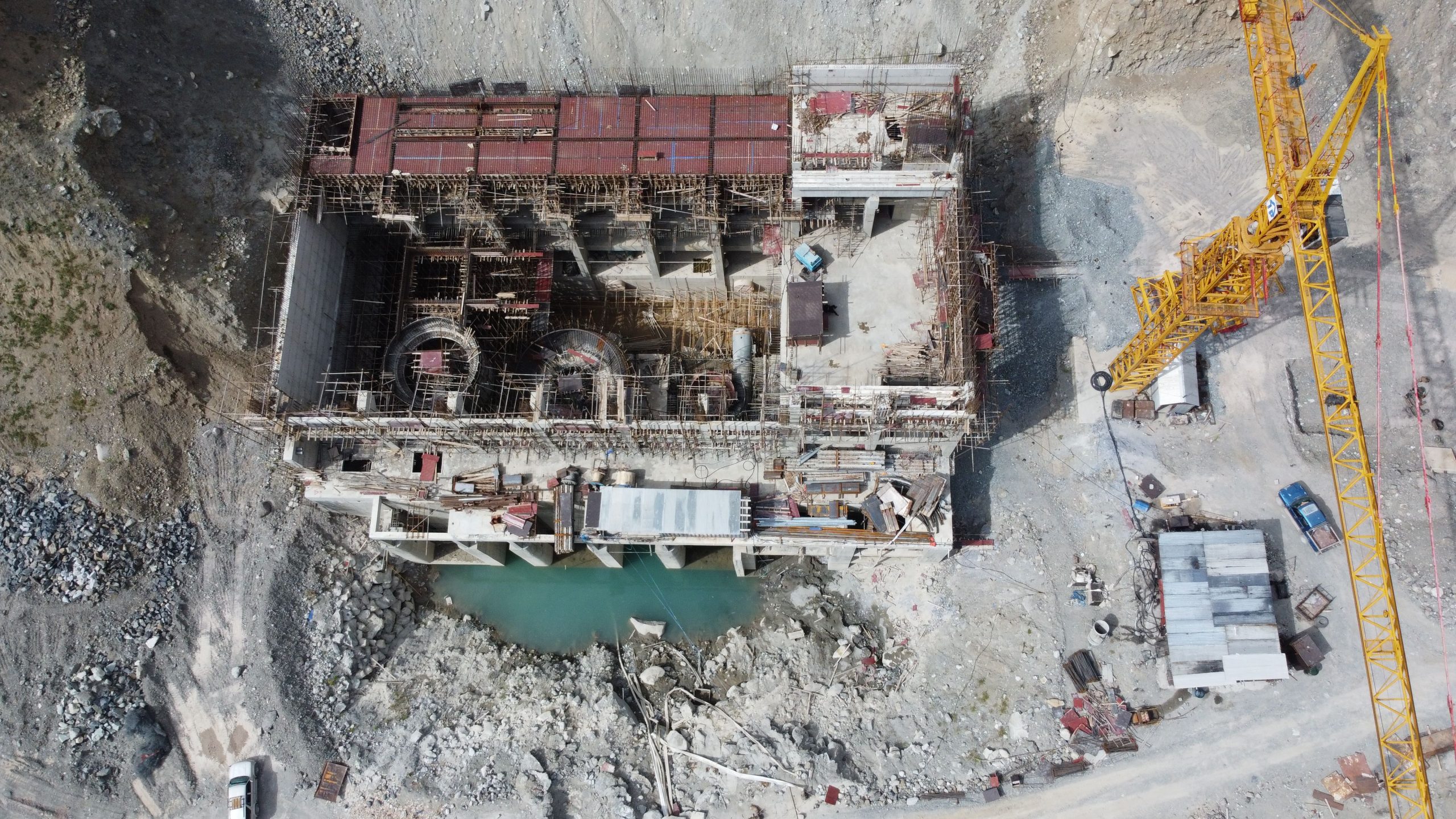
Drone survey software has moved from a novelty to a standard line item in civil engineering project budgets. But with a growing field of tools — each with different accuracy claims, processing approaches, pricing models, and ecosystem integrations — choosing the right platform for your actual workflow is not straightforward.
This guide compares seven leading drone survey software platforms for civil engineers: Pix4D, DroneDeploy, Propeller Aero, Agisoft Metashape, DJI Terra, Bentley ContextCapture, and Esri ArcGIS Drone2Map. For each, we cover what it actually does well, what it costs, and which project types it is genuinely suited for — so you can match the tool to your work rather than the marketing copy.
Table of Contents
- Quick Comparison Table
- How to Choose: Key Criteria
- Pix4D — The Survey-Grade Standard
- DroneDeploy — Best for Construction Site Monitoring
- Propeller Aero — Best for Earthworks & Civil Construction
- Agisoft Metashape — Best Perpetual License Value
- DJI Terra — Best for DJI Drone Users
- Bentley ContextCapture — Best for Large Infrastructure Projects
- Esri ArcGIS Drone2Map — Best for GIS-Integrated Workflows
- Which Software for Which Project Type?
- Frequently Asked Questions
- Conclusion
Quick Comparison Table
All prices are as of June 2026. Pricing for enterprise/quote-based platforms is noted accordingly.
| Platform | Starting Price | Processing | Drone Compatibility | Best For |
|---|---|---|---|---|
| Pix4D (PIX4Dmapper) | ~$332/mo ($3,990/yr) | Desktop + cloud | Any drone | Survey-grade deliverables |
| DroneDeploy | $329/mo (annual) — Individual | Cloud only | Any drone | Construction site monitoring |
| Propeller Aero | Contact for pricing | Cloud | Any drone | Earthworks volume tracking |
| Agisoft Metashape | $179 standard / $3,499 pro (one-time) | Desktop only | Any drone | Budget-conscious, offline workflows |
| DJI Terra | $1,299/yr (Pro) | Desktop | DJI drones only | DJI drone operations |
| Bentley ContextCapture | ~$291/mo (Virtuosity) | Desktop + cloud | Any source | Large infrastructure + Bentley ecosystem |
| Esri ArcGIS Drone2Map | Contact Esri for pricing | Desktop | Any drone | ArcGIS-integrated GIS workflows |
How to Choose: Key Criteria
Before reviewing individual platforms, it is worth establishing the criteria that matter most for civil engineering drone survey workflows:
- Accuracy requirements: Survey-grade deliverables (formal quantity surveys, engineered as-builts, regulatory submissions) require 1–3 cm horizontal accuracy with ground control points or RTK integration. Progress monitoring workflows may be acceptable at 5–10 cm. The platform you choose must match your accuracy requirement, and not all platforms are equal here.
- Processing location (desktop vs cloud): Desktop processing requires capable hardware but works without an internet connection — important on remote sites. Cloud processing eliminates hardware investment but requires connectivity and introduces per-project or subscription costs for compute.
- Drone compatibility: Most platforms process data from any drone manufacturer. DJI Terra is the significant exception — it is designed exclusively for DJI drones and will not process imagery from other manufacturers.
- Ecosystem integration: If your firm uses AutoCAD Civil 3D, ArcGIS, or Bentley's design tools daily, choosing a drone survey platform that exports natively to those ecosystems saves significant post-processing time.
- Output types needed: Common outputs include orthomosaics (2D georeferenced image maps), digital surface models (DSMs), digital terrain models (DTMs), point clouds (LAS/LAZ), and textured 3D meshes. Not every platform produces all of these, and quality varies.
- License model: Annual subscriptions (Pix4D, DroneDeploy, DJI Terra) vs. perpetual one-time purchase (Agisoft Metashape) vs. enterprise licensing (ContextCapture, Drone2Map) — each has budget implications over different project horizons.
Pix4D — The Survey-Grade Standard
Pix4D's flagship desktop application PIX4Dmapper is the most widely referenced photogrammetry platform in professional civil engineering and geomatics contexts. When civil engineers, land surveyors, and GIS professionals specify drone photogrammetry deliverables, Pix4D outputs are frequently the implicit standard being described.
What it does well
- Survey-grade accuracy: PIX4Dmapper achieves 1–2 cm absolute accuracy with GCP and RTK integration. Accuracy is validated in a quality report that documents checkpoints, accuracy statistics, and calibration data — the kind of documentation needed for formal engineering submissions.
- Output completeness: Produces orthomosaics, DSMs, DTMs, true orthophotos, point clouds (LAS/LAZ), and textured 3D meshes — the full spectrum of deliverables civil engineers typically need.
- CAD/GIS export: Native export to AutoCAD, AutoCAD Civil 3D, ArcGIS, and QGIS, reducing post-processing steps between drone processing and design application.
- Drone agnostic: Processes imagery from any commercial drone manufacturer — DJI, Trimble, senseFly, Autel, and others.
What to know before buying
- Desktop-only processing (PIX4Dmapper) requires powerful hardware — dedicated GPU, 32+ GB RAM for large projects. Cloud processing add-ons are available through PIX4Dcloud, priced separately.
- Pix4D increased perpetual license pricing significantly in January 2026 (from ~$5,990 to ~$14,990). Annual subscriptions at ~$3,990/year are now the standard entry point for most users.
- PIX4Dmapper is a floating license — one subscription allows installation on multiple machines but only one active session at a time, which is workable for most firm workflows.
Pricing (as of June 2026): PIX4Dmapper ~$332/month billed monthly, or ~$3,990/year billed annually. Source: pix4d.com/pricing — verify for current figures.
Verdict: The benchmark for professional survey-grade photogrammetry. Highest cost among subscription platforms, justified for firms producing formal survey deliverables. Less appropriate for simple construction progress monitoring where DroneDeploy or Propeller are faster and cheaper.

DroneDeploy — Best for Construction Site Monitoring
DroneDeploy is the dominant platform in the construction progress monitoring segment. Its differentiation from Pix4D is principled rather than cosmetic: DroneDeploy prioritizes operational simplicity, team collaboration, and integration with construction management platforms over the photogrammetric fine control that survey specialists need.
What it does well
- Speed to insight: Cloud processing typically delivers orthomosaic and 3D model outputs within 2–4 hours of data upload — faster than equivalent desktop processing in most configurations.
- Mobile-first flight planning: Flight missions are planned and executed via a mobile app, covering automated grid patterns, terrain-following flights, and offline mission storage for remote sites without connectivity.
- Construction integrations: Native integrations with Procore, Autodesk Construction Cloud, and BIM 360 allow site teams to overlay drone data with design models, RFIs, and issue logs without exporting data manually.
- AI analytics: Available on the Advanced plan — automated change detection, material identification, and site safety monitoring from aerial imagery.
- Reality Hub: Consolidates aerial orthomosaic, 360-degree ground-level imagery, and video walkthroughs into a unified project view.
What to know before buying
- Sub-centimeter survey-grade accuracy requires the Advanced plan ($499/month), which adds GCP support and the Auto-GCP workflow. The Individual plan ($329/month) does not support GCP-based precision.
- Cloud-only processing means connectivity is required to upload data. Large datasets (full-day site flights) involve significant upload times depending on site connectivity.
- Storage limits apply to lower-tier plans. Multi-month site monitoring projects accumulate data quickly — factor storage into total cost.
Pricing (as of June 2026): Individual $329/month billed annually; Advanced $499/month billed annually; Enterprise at custom pricing. Source: dronedeploy.com/product/pricing — verify for current rates.
Verdict: The best option for large construction and engineering firms running fleet operations, integrating with Procore/ACC, and needing teams to access current site conditions without specialized photogrammetry training. Not the right choice for survey deliverables requiring sub-5cm certified accuracy without the Advanced plan.
Propeller Aero — Best for Earthworks & Civil Construction
Propeller Aero occupies a focused niche that is directly relevant to a large segment of civil engineering work: earthworks tracking on linear infrastructure and site development projects. Where DroneDeploy generalizes across all construction types and Pix4D focuses on photogrammetric precision, Propeller's design center is volume calculation, cut/fill analysis, and design conformance on grading projects.
What it does well
- Volumetric measurement workflows: Propeller's core differentiator is the quality and usability of its volume calculation tools. Engineers can calculate stockpile volumes, cut/fill balances, and earthworks progress directly in the platform — without exporting data to a separate tool for calculation.
- Design conformance checking: Upload a design surface and compare it against the drone-captured existing conditions surface to generate a conformance heat map — a daily or weekly check for whether grading work is within tolerance.
- Timeline comparison: The timeline slider feature lets engineers compare survey results from different dates side by side — visually tracking earthworks progress, identifying where work is ahead or behind, and documenting conditions at each survey epoch.
- Road grade checks: Purpose-built grade analysis tools for checking haul roads, embankment slopes, and finished pavement grades against design tolerances.
- Survey-grade accuracy with AeroPoints: Propeller's own ground control point system (AeroPoints — solar-powered, GPS-enabled GCP targets) integrates directly with the platform for survey-grade accuracy without traditional GCP survey setup.
What to know before buying
- Pricing is not publicly listed — Propeller uses a custom quote model based on number of sites, survey frequency, and users. A 14-day free trial is available. Contact propelleraero.com for pricing.
- The platform is less suited for vertical construction and building documentation than earthworks and linear infrastructure.
Verdict: The most workflow-specific tool in this list for earthworks-heavy civil work — cut/fill, grading conformance, stockpile monitoring, haul road tracking. If these are your primary drone survey use cases, Propeller is worth a trial before committing to a more general-purpose platform.
Agisoft Metashape — Best Perpetual License Value
Agisoft Metashape is one of the most capable photogrammetry processing engines available and the only platform in this comparison offering a genuine one-time perpetual license at a competitive price point.
What it does well
- Perpetual license: Professional edition at $3,499 one-time — no annual subscription, no renewal, no cloud dependency. For a firm that runs 20+ years of projects, this economics look very different from subscription models. The Standard edition at $179 one-time covers basic mapping needs but lacks multi-camera and advanced classification tools.
- Processing control: Metashape exposes more processing parameters than most platforms — useful for specialists processing unusual sensor types, multi-camera rigs, or imagery with challenging geometry.
- Output quality: Produces orthomosaics, DSMs, DTMs, dense point clouds, and textured 3D meshes at quality comparable to Pix4D when operated by a skilled user.
- Academic and research adoption: Widely used in academia, government agencies, and research institutions — which means extensive documentation, tutorials, and community support are available.
What to know before buying
- No mobile flight planning app — Metashape is purely a desktop processing tool. You will need a separate flight planning app (DJI Fly, Litchi, or similar) for mission planning.
- Less hand-holding than Pix4D — the interface is functional but less guided, and quality reports are less structured than Pix4D's. Engineers producing deliverables for clients unfamiliar with photogrammetry may find Pix4D's report format more appropriate for formal submissions.
- No built-in cloud collaboration — team-based workflows require additional infrastructure or third-party file sharing.
Pricing (as of June 2026): Standard edition $179 one-time; Professional edition $3,499 one-time. Source: agisoft.com/buy — verify for current pricing.
Verdict: The best choice for firms that want professional photogrammetry capability without a recurring subscription, or for individual engineers building a personal toolkit. Requires more operator skill than DroneDeploy or Propeller but delivers comparable technical output to Pix4D at a fraction of the multi-year cost.
DJI Terra — Best for DJI Drone Users
DJI Terra is tightly integrated with DJI's drone hardware lineup — capable and ecosystem-locked. If your firm operates DJI drones (Phantom 4 RTK, Mavic 3 Enterprise, Matrice series, or Zenmuse LiDAR payloads), DJI Terra offers a processing workflow that is deeply optimized for DJI data and available at a lower starting cost than Pix4D.
What it does well
- Real-time mapping: DJI Terra can generate live orthomosaics on a connected laptop during active flight — a capability useful for field QA checks and confirming survey coverage before leaving the site.
- LiDAR support: Full support for DJI Zenmuse L2 and L3 LiDAR data processing, including point cloud classification and DTM generation from LiDAR returns.
- Gaussian splatting (v5.0): DJI Terra 5.0 introduced Gaussian splatting for photorealistic 3D reconstruction, achieving approximately 500 photos per hour processing rate and preserving fine detail in reflective and vegetated scenes where standard photogrammetry struggles.
- Corridor mapping: Optimized corridor mission planning and processing for linear infrastructure — power lines, pipelines, road alignments.
- Accuracy: With RTK-enabled DJI drones, DJI Terra achieves 2–3 cm accuracy. On compatible payloads and terrain, it meets 1:500 mapping standards without GCPs.
What to know before buying
- DJI drones only. DJI Terra cannot process imagery from any other manufacturer. This is not a minor limitation — it makes the platform entirely unsuitable for multi-vendor drone operations or for firms that may change drone hardware in the future.
- The Pro plan covers standard 2D/3D mapping. The Electricity plan ($2,599/year) is required for power line inspection workflows.
Pricing (as of June 2026): Pro plan $1,299/year (2D and 3D mapping); Agriculture plan $999/year; Electricity plan $2,599/year. Source: store.dji.com — verify for current pricing.
Verdict: A strong choice for civil engineers and survey firms standardized on DJI hardware, particularly those using DJI Zenmuse LiDAR payloads. Not appropriate if your firm uses non-DJI drones or intends to remain hardware-agnostic.
Bentley ContextCapture — Best for Large Infrastructure Projects
Bentley ContextCapture is the enterprise-grade reality modeling platform in this comparison — designed for infrastructure projects at a scale and data volume that would exceed what consumer-oriented platforms handle comfortably. Highway corridor surveys with 50,000+ images, city-block documentation, and bridge inspection datasets are ContextCapture's native territory.
What it does well
- Scale: ContextCapture processes datasets of 50,000+ images using multi-GPU acceleration — a capability that distinguishes it from platforms designed for smaller drone missions.
- Infrastructure integrations: Direct integration with MicroStation, OpenRoads Designer, and Bentley's iTwin platform. Engineers using Bentley's design environment for highway or rail projects can push reality mesh data directly into their design workflow without intermediate export steps.
- Hybrid data fusion: Combines aerial photogrammetry, terrestrial imagery (from mobile mapping systems or hand-held cameras), and laser scan point clouds in a single project — producing a unified reality model from multiple acquisition sources.
- Output formats: Produces point clouds, true orthophotos, DSMs, and detailed textured 3D meshes at engineering grade.
What to know before buying
- ContextCapture is materially more expensive than Pix4D or Metashape for individual users. It targets DOT agencies, large engineering firms, and organizations with Bentley E365 enterprise agreements rather than SMBs or individual practitioners.
- The Bentley ecosystem lock-in is a feature for existing Bentley users and a drawback for everyone else. If your firm uses AutoCAD Civil 3D or ArcGIS as its primary design environment, ContextCapture's workflow integrations add less value.
Pricing (as of June 2026): ~$291/month through Bentley Virtuosity; enterprise E365 pricing by agreement. Source: bentley.com — verify for current pricing.
Verdict: The correct choice for large infrastructure projects — DOT highway surveys, bridge inspections, municipal 3D city models — particularly for organizations already using MicroStation or OpenRoads. Over-engineered and over-priced for site-scale civil or building construction workflows.
Esri ArcGIS Drone2Map — Best for GIS-Integrated Workflows
ArcGIS Drone2Map is Esri's drone photogrammetry tool, and its primary value proposition is integration with the ArcGIS ecosystem. If your civil engineering workflow depends heavily on ArcGIS Pro, ArcGIS Online, or ArcGIS Enterprise for spatial analysis, data management, or deliverable production, Drone2Map eliminates the file format translation steps that other platforms require.
What it does well
- ArcGIS native processing: Drone2Map is a desktop application that processes imagery and publishes outputs directly to ArcGIS Pro and ArcGIS Online — orthomosaics, DSMs, DTMs, point clouds, and textured 3D meshes are immediately available as ArcGIS layers without export or conversion.
- ArcGIS Reality Engine: The 2025.1 update introduced the ArcGIS Reality Engine, improving processing quality and reducing processing times, particularly for large datasets.
- Offline processing: As a desktop application, Drone2Map processes imagery locally — useful for projects where field connectivity is limited and cloud-upload-then-wait workflows are impractical.
- Full deliverable coverage: Produces orthomosaics, DSMs, DTMs, point clouds, true orthophotos, and Gaussian splat models. The 2026.1 release improved Gaussian splat processing speed for large datasets.
- Measurement tools: Built-in distance, area, terrain profile, and volumetric calculation tools allow field-oriented engineers to make measurements directly in Drone2Map without exporting to another application.
What to know before buying
- Pricing is not publicly listed. ArcGIS Drone2Map is licensed separately from ArcGIS Pro, available in Standard and Advanced tiers. Contact Esri's sales team or your Esri reseller for pricing.
- Drone2Map requires an active ArcGIS Online organizational account. It is not a standalone product — it is firmly an ArcGIS ecosystem tool.
Pricing (as of June 2026): Standard and Advanced tiers; contact Esri at esri.com for current pricing. Pricing varies by organization size, existing license agreements, and region.
Verdict: The most logical choice for civil engineers and planners whose deliverables live in ArcGIS — transportation planning, GIS-based infrastructure management, land use analysis. If ArcGIS is not central to your workflow, Pix4D or Metashape will integrate with ArcGIS adequately and likely at lower cost.
Which Software for Which Project Type?
| Project Type | Recommended Platform | Why |
|---|---|---|
| Formal land survey (engineered deliverables, regulatory submissions) | Pix4D or Metashape Pro | Certified accuracy, structured quality reports, CAD/GIS export |
| Construction site progress monitoring (building, horizontal) | DroneDeploy | Fast cloud processing, Procore/ACC integration, team access without GIS skills |
| Earthworks: cut/fill, grading conformance, stockpile volumes | Propeller Aero | Purpose-built volume tools, design surface comparison, timeline tracking |
| Highway corridor, large DOT infrastructure project | Bentley ContextCapture | 50,000+ image capacity, OpenRoads/MicroStation integration, engineering-grade mesh |
| LiDAR data processing (DJI Zenmuse L2/L3) | DJI Terra | Native DJI LiDAR processing pipeline, point cloud classification, DTM generation |
| GIS-based planning, transportation analysis, ArcGIS deliverables | Esri Drone2Map | Native ArcGIS output, no file translation step, works within existing ArcGIS license framework |
| Budget-constrained operations or individual practitioner | Agisoft Metashape | $179–$3,499 one-time, no subscription, professional output quality |
Drone survey workflows increasingly connect to other field data acquisition technologies. For projects combining drone photogrammetry with ground-based point cloud data, our guide to laser scanning survey in construction covers how the two acquisition methods complement each other and when each is the appropriate choice.
Frequently Asked Questions
What is the most accurate drone survey software for civil engineering?
Pix4D (PIX4Dmapper) and Agisoft Metashape Professional both achieve 1–3 cm horizontal accuracy with ground control points and RTK drone integration — the standard for survey-grade civil engineering deliverables. DJI Terra achieves 2–3 cm accuracy on compatible DJI RTK drones. DroneDeploy on the Advanced plan supports GCP-based accuracy sufficient for most construction applications. Platform accuracy depends heavily on flight parameters, GCP placement, and operator technique — the software is one factor among several.
Is Pix4D worth the cost for a small civil engineering firm?
For a small firm producing formal survey deliverables — topographic surveys, as-built documentation, engineered quantity surveys — Pix4D's annual subscription (~$3,990/year) is likely justified by the quality of its output and the industry recognition of its accuracy reports. For a small firm primarily doing construction progress monitoring rather than formal survey work, DroneDeploy at ~$329/month or Agisoft Metashape Professional at a $3,499 one-time cost may be better value depending on usage frequency.
Can drone survey software replace traditional land surveying?
For topographic mapping, site surveys, volumetric calculations, and as-built documentation, drone photogrammetry with survey-grade software can produce deliverables meeting the same accuracy standards as traditional total station surveys at significantly reduced field time for large areas. However, drones cannot survey inside buildings, under tree canopy (without LiDAR), or in many constrained urban environments. Boundary surveys, easement surveys, and surveys with legal significance typically require licensed land surveyors using instruments appropriate to the required legal standard.
What drone should I use for survey-grade civil engineering work?
For survey-grade photogrammetry, drones with onboard RTK GNSS provide the most streamlined path to cm-level accuracy: the DJI Phantom 4 RTK, DJI Matrice 350 RTK with Zenmuse P1 payload, and the Autel EVO Max 4T RTK are among the most common in professional survey use. Drone choice depends on survey accuracy requirements, area coverage, and regulatory airspace approvals — match the platform to the software you have chosen, as DJI Terra requires DJI hardware while Pix4D and Metashape work with any manufacturer.
What outputs does drone survey software produce?
Professional drone survey platforms produce some combination of: orthomosaics (2D georeferenced aerial images), digital surface models (DSMs, capturing all above-ground features), digital terrain models (DTMs, filtered to represent bare earth), dense point clouds (LAS/LAZ format), and textured 3D meshes. Platform capability varies — DroneDeploy produces orthomosaics, DSMs, and basic 3D models; Pix4D, Metashape, and Drone2Map produce the full set including true orthophotos and engineering-grade point clouds.
Does drone survey software work with LiDAR?
LiDAR support varies significantly. DJI Terra natively processes DJI Zenmuse LiDAR data (the L2 and L3 sensors). Bentley ContextCapture processes LiDAR alongside photogrammetry in hybrid datasets. Pix4D supports LiDAR through a separate PIX4Dmatic product. Agisoft Metashape can import and align external LiDAR point clouds but does not process raw LiDAR data natively. DroneDeploy supports select LiDAR payloads on the Enterprise plan. Verify LiDAR compatibility with your specific drone and sensor before assuming any platform covers your hardware combination.
Conclusion
There is no single best drone survey software for all civil engineering applications — the right platform depends on accuracy requirements, project type, ecosystem integrations, and budget horizon.
As a starting point: Pix4D for survey-grade deliverables; DroneDeploy for construction site monitoring with Procore or ACC integration; Propeller Aero for earthworks volume tracking; Agisoft Metashape for budget-conscious operators who want professional output without a subscription; DJI Terra for DJI-standardized fleets and LiDAR workflows; ContextCapture for DOT-scale infrastructure in the Bentley ecosystem; and Esri Drone2Map where ArcGIS is the primary deliverable environment.
Most platforms offer trial periods or demo access. For a firm new to drone survey, the fastest path to a justified decision is running a representative project through two or three candidate platforms before committing to a subscription or license. Accuracy, processing time, output quality, and workflow fit will reveal themselves quickly on real project data in ways that specifications and marketing summaries cannot.
Images: Naeem Butt / Pexels · Mark Plotz / Pexels · Chime Chinedu / Pexels (all Pexels Free License).