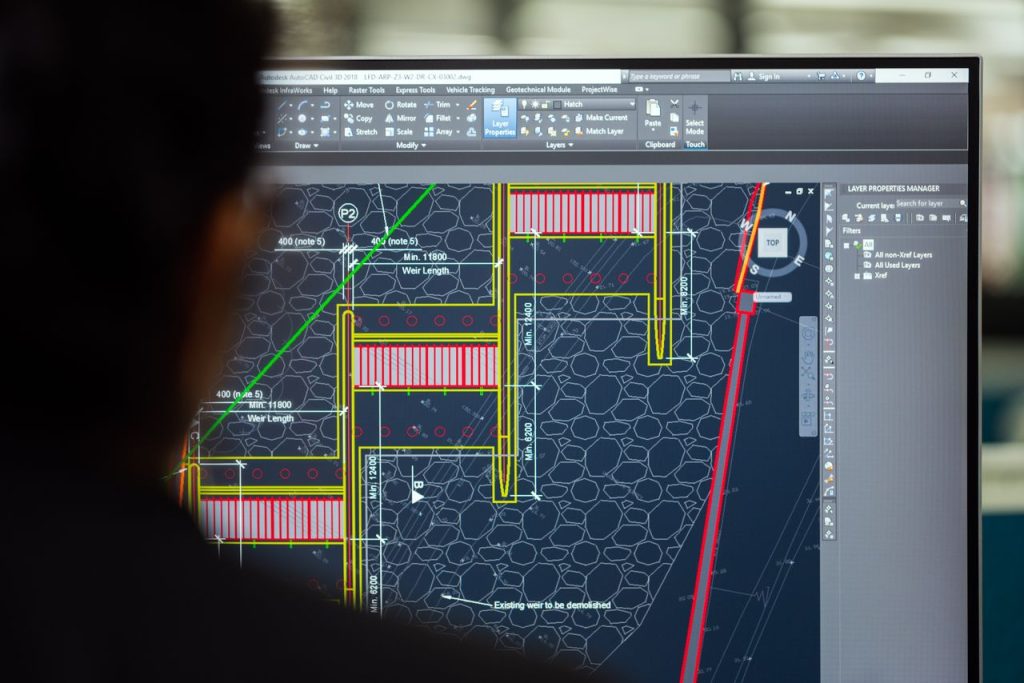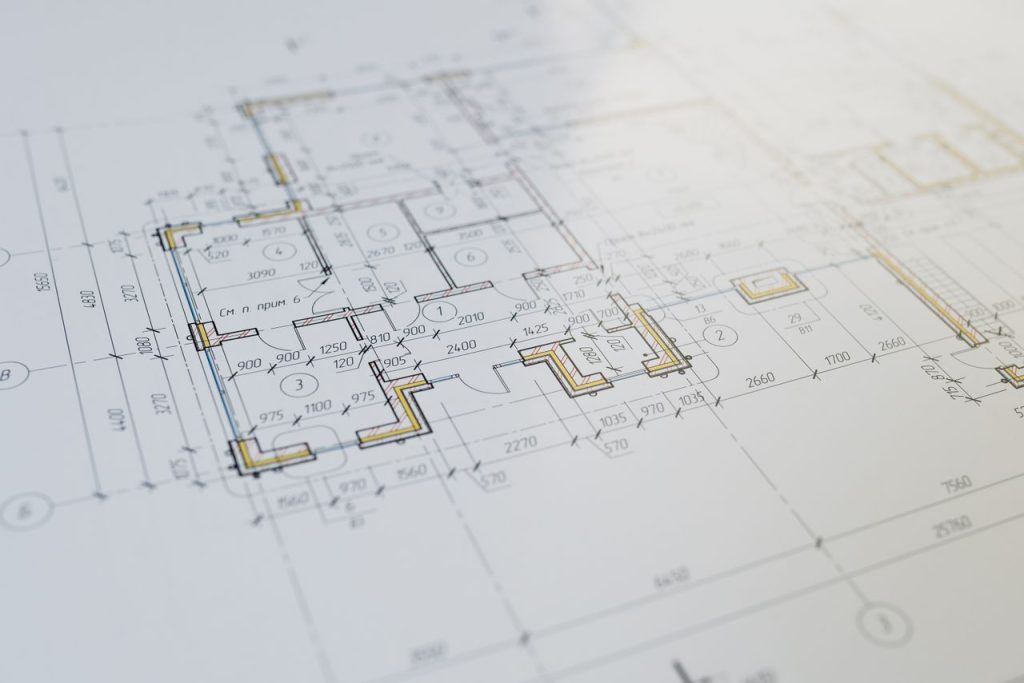
Autodesk has released three updates to AutoCAD Civil 3D 2026 since the initial April 2025 launch — the initial release, update 2026.1 (August 2025), and 2026.2 (December 2025). Taken together, the 2026 release cycle introduces the most significant changes to Civil 3D’s drainage design workflow in years, adds a long-requested 3D visualization tool, and restructures how large surface datasets are referenced across project teams.
This guide breaks down every meaningful new feature in AutoCAD Civil 3D 2026, explains what each one actually changes in day-to-day engineering workflows, and gives an honest assessment of whether the 2026 release warrants an upgrade for engineers still on Civil 3D 2025. All features described here are verified from Autodesk’s official documentation and release notes.
Table of Contents
- What’s New in Civil 3D 2026: Release Timeline
- Autodesk Drainage Analysis: The Headline Feature
- 3D Model Viewer
- Surface Boundary (DREF): A Quiet but Important Change
- Civil Tools in Autodesk Construction Cloud
- Horizontal Regression Analysis
- Dynamo for Civil 3D 2026: 75+ New Nodes
- Performance Improvements
- New Coordinate Reference Systems
- Civil 3D 2026 vs 2025: Worth Upgrading?
- Pricing and Licensing in 2026
- Frequently Asked Questions
- Conclusion

What’s New in Civil 3D 2026: Release Timeline
Civil 3D 2026 arrived in three distinct updates. Understanding which features arrived in which update matters for engineers on enterprise deployment schedules, where updates are not always installed immediately.
| Update | Release | Key Additions |
|---|---|---|
| Civil 3D 2026 | April 2025 | 3D Model Viewer · Surface Boundary DREF · Civil Tools in ACC · Project Explorer · My Insights · CRS additions · Performance improvements · Initial Dynamo nodes |
| Civil 3D 2026.1 | August 2025 | Autodesk Drainage Tools (tech preview expanded) · Horizontal Regression Analysis · Additional surface workflow improvements · Dynamo updates |
| Civil 3D 2026.2 | December 2025 | Drainage Tools production release · 75+ new Dynamo nodes (stormwater) · Cloud Tool enhancements · Horizontal Regression refinements · API improvements |
Sources: Autodesk Civil 3D 2026 What’s New · Dynamo for Civil 3D 2026 release notes
Autodesk Drainage Analysis: The Headline Feature
The biggest addition to Civil 3D 2026 is the integration of Autodesk Drainage Analysis — a cloud-connected stormwater analysis workflow that brings Autodesk’s InfoDrainage analysis engine directly into the Civil 3D design environment, without requiring engineers to install or license InfoDrainage separately.
What it does
Previously, a Civil 3D drainage designer who wanted to run hydrological analysis had to export data to a separate package — InfoDrainage, SSA (Storm and Sanitary Analysis), HEC-HMS, or a third-party tool — then import results back and manually update the Civil 3D model. The Drainage Analysis feature eliminates that round-trip for site drainage workflows.
The workflow operates as follows:
- Engineers define drainage objects natively in Civil 3D: catchments, drainage pipes, ponds, underground storage systems, and open channels
- Rainfall data is managed through a new centralized Rainfall Manager interface within Civil 3D
- An analysis is initiated from within Civil 3D — the design is sent to Autodesk’s cloud, where InfoDrainage analysis services execute the simulation
- Results are returned to the Civil 3D workspace: flow rates, water surface elevations, pond volume curves, and hydraulic grade lines
- Engineers validate and apply results directly to the Civil 3D model, then generate output reports without leaving the application
What it covers
- Pond design: Detention and retention pond sizing with storage-discharge relationships
- Underground storage: Subsurface detention systems (chambers, pipes) with equivalent storage modeling
- Open channel design: Channel cross-section and capacity analysis
- Catchment delineation: Expanded runoff method support, including multiple rainfall/runoff methods
- Multi-event simulation: Run multiple design storm events (2-year, 10-year, 100-year) in a single workflow
Important distinctions: Drainage Analysis vs InfoDrainage vs SSA
Autodesk’s 2026 documentation makes a clear distinction between three drainage tools:
- Autodesk Drainage Analysis for Civil 3D — the new integrated cloud tool, designed for site-scale stormwater: detention ponds, underground storage, site drainage networks. Best for land development and site civil workflows.
- InfoDrainage (standalone) — the full-featured hydrological and hydraulic modeling platform. Required for complex urban drainage, sewer system modeling, flood routing at watershed scale, and projects with regulatory submission requirements that specify the tool.
- SSA (Storm and Sanitary Analysis) — an older Autodesk tool for pipe network sizing. Still available but being superseded by the newer Drainage Analysis integration.
For most land development civil engineers — site grading, detention pond design, storm sewer sizing — the Civil 3D Drainage Analysis integration is sufficient and eliminates the need for a separate InfoDrainage subscription. For complex municipal drainage or watershed-scale hydrological modeling, standalone InfoDrainage remains the appropriate tool.
3D Model Viewer
Civil 3D has always been capable of producing 3D geometry — corridors, surfaces, pipe networks — but the traditional workflow for viewing your model in three dimensions required either switching to a 3D visual style in model space (slow and often visually cluttered) or exporting to Autodesk InfraWorks or Navisworks.
Civil 3D 2026 introduces a dedicated 3D Model Viewer that provides a lightweight, real-time 3D view of your Civil 3D model directly within the application. Engineers can orbit, zoom, and inspect the 3D model — corridors, surfaces, pipe networks, grading objects — without leaving Civil 3D or switching applications.
The practical value is in design review and QA. A corridor alignment that looks correct in plan view can reveal geometry problems — superelevation transitions, daylight lines that cut unrealistically, drainage paths — when seen in 3D. Previously, catching these issues required either a full 3D render setup in Civil 3D (cumbersome) or an InfraWorks export. The built-in viewer makes this a routine part of the design process rather than a separate step.
Surface Boundary (DREF): A Quiet but Important Change
The Surface Boundary data shortcut — referred to in Autodesk documentation as the DREF improvement — addresses a persistent pain point for engineers working with large terrain datasets.
In Civil 3D 2025 and earlier, when you created a data shortcut reference to a surface from another drawing, you referenced the entire surface. For a project using a regional LiDAR-derived surface covering hundreds of square kilometers, this meant every drawing that referenced that surface carried the computational weight of the full dataset — slow to open, slow to regenerate, slow to plot.
In Civil 3D 2026, the Surface Boundary shortcut lets you define an area of interest — typically your project corridor or site boundary — and reference only the surface data within that area. The result is a faster, lighter drawing that still has access to the authoritative terrain model, without importing the geometry of the entire regional surface.
This is a significant improvement for infrastructure projects where the master surface is regional in scope (a county-level DEM, for example) but individual design drawings only need a 500-meter corridor slice of it. The reduction in drawing weight improves performance across file operations, regeneration, and plotting.
Civil Tools in Autodesk Construction Cloud
Civil 3D 2026 introduces Civil Tools for Autodesk Construction Cloud (ACC), allowing Civil 3D users to publish their infrastructure models to the ACC platform for collaborative review by stakeholders who do not have Civil 3D installed.
The capability provides:
- Model viewing: Project stakeholders, contractors, and owners can view Civil 3D corridor models, surfaces, alignments, and pipe networks in a web browser via ACC without requiring a Civil 3D license
- Issue tracking: Reviewers can place geo-located issues directly on the model in ACC, which are linked back to Civil 3D for resolution
- Centralized access: Models and issue logs are stored in ACC, visible to the full project team and tracked over time
For civil engineers working in collaborative project delivery environments — design-build, progressive design-build, or projects with owner review requirements — this reduces the friction of sharing design deliverables with parties who cannot open DWG files or run Civil 3D. It is part of Autodesk’s broader push to unify its design and construction platform, which connects directly to the broader BIM and digital twin trends in infrastructure delivery covered in our guide to Building Information Modeling in civil engineering.
Horizontal Regression Analysis
Horizontal Regression Analysis is a new tool for creating road alignments from field survey data. When field measurements exist — GPS survey points along an existing road centerline, for example — the tool fits a best-fit alignment geometry (tangents and curves) to those measured points using regression analysis, rather than requiring the engineer to manually define each element.
Practical applications:
- Rehabilitating an existing roadway where you have survey points along the centerline but no CAD centerline file
- As-built verification: generating a best-fit geometric alignment from as-built survey measurements
- Producing a smooth design centerline from GPS track data captured along an existing route
This replaces a workflow that previously required manual tangent-and-curve placement, best-fit estimation by eye, or export to a separate survey-alignment software package. For engineers doing roadway rehabilitation or existing-conditions documentation projects, it reduces a tedious manual process to an automated calculation.
Dynamo for Civil 3D 2026: 75+ New Nodes
The most technically significant Dynamo update in the 2026.2 release is the addition of over 75 new nodes specifically for stormwater control object automation. Engineers building Dynamo scripts to automate drainage design workflows can now programmatically create and configure:
- Detention and retention ponds (geometry, outlet configurations, volume calculations)
- Underground storage systems (chamber types, layout patterns)
- Open channels (cross-section geometry, slope relationships)
Earlier in the 2026 cycle, new nodes were also added for:
- Catchment creation and management — automate the assignment of runoff coefficients, time of concentration, and area from batch data
- Feature line creation (FeatureLine.ByPoints) — generate feature lines programmatically from coordinate arrays, enabling automated grading model construction
- Section view labeling — batch-create and populate section view annotations from data
For offices that do Dynamo scripting, the 2026 release represents a meaningful expansion of Civil 3D’s automation surface. Firms that regularly produce site drainage designs across many similar parcels — residential subdivision drainage, commercial site development — have the most to gain from automating pond and storage object creation.
If you are new to Dynamo scripting in Civil 3D, the official Dynamo for Civil 3D 2026 release page provides an overview of the available nodes and example scripts to get started.

Performance Improvements
Autodesk describes the 2026 release as delivering “significant and visible” improvement in Civil 3D program startup time and file open performance. While Autodesk has not published specific benchmark figures, the improvements are reported to be perceptible in typical day-to-day operation — not marginal quality-of-life changes.
The improvements come from both core AutoCAD performance work and Civil 3D-specific optimizations. Engineers who open large project drawings daily — full corridor models with multiple surfaces, pipe networks, and alignment families — are the primary beneficiaries. The Surface Boundary DREF feature described above is also a contributing factor to improved performance on projects using regional terrain datasets.
New Coordinate Reference Systems
Civil 3D 2026 adds new Coordinate Reference Systems (CRS) for the following regions: United Kingdom, Saudi Arabia, Serbia, and Switzerland. Engineers working in these jurisdictions now have additional officially-supported CRS options in Civil 3D without requiring custom coordinate system definitions or third-party add-ons.
For UK engineers specifically — a significant audience given Civil 3D’s adoption in UK infrastructure delivery — the updated CRS support improves interoperability with Ordnance Survey coordinate frameworks. This connects to the broader terrain data workflows covered in our guide to laser scanning survey in construction, which describes how survey-derived point clouds are referenced and processed before they enter Civil 3D.
Civil 3D 2026 vs 2025: Worth Upgrading?
For most active Civil 3D subscribers on the AEC Collection or Civil 3D standalone subscription, the 2026 upgrade is included — you are already paying for it. The question is whether it is worth deploying now or waiting for stability, and whether the new features change how your team works.
Upgrade is clearly worth it if your firm does:
- Site drainage design — the Drainage Analysis integration in 2026.2 is a genuine workflow improvement if your current process involves exporting to a separate hydrology tool for pond and storage sizing
- Large infrastructure projects with regional terrain — the Surface Boundary DREF improvement directly reduces drawing weight and improves performance on projects referencing large LiDAR or photogrammetry-derived surfaces
- Collaborative delivery with non-Civil 3D stakeholders — Civil Tools in ACC adds meaningful value if you have design-build or owner review requirements that involve parties without Civil 3D licenses
- Dynamo automation — the 75+ drainage-focused nodes in 2026.2 are a significant expansion if your office uses Dynamo for automation
Upgrade adds less value if your firm primarily does:
- Standard road and subdivision corridor design without significant drainage analysis requirements (these workflows changed less)
- Projects entirely within an in-house team where ACC collaboration features do not apply
Pricing and Licensing in 2026
AutoCAD Civil 3D 2026 is available as part of two Autodesk subscription options:
- Civil 3D standalone subscription: approximately US $2,985/year per user (as of mid-2026). Includes Civil 3D and AutoCAD.
- AEC Collection: approximately US $3,675/year per user (as of mid-2026). Includes Civil 3D, Revit, AutoCAD, InfraWorks, Navisworks, Forma Site Design, and over 10 additional Autodesk AEC products. For most civil engineering firms that also use Revit or Navisworks, the AEC Collection is the more cost-effective route.
Pricing as of June 2026; verify current pricing at autodesk.com/collections/architecture-engineering-construction or through an authorized Autodesk reseller. Autodesk pricing varies by region.
Cloud-based features including Drainage Analysis require cloud credits or an active connected subscription tier. Autodesk’s cloud services consumption model applies — confirm your subscription tier covers cloud analysis runs before deploying the Drainage Analysis workflow in production.
For a detailed breakdown of Civil 3D licensing options — perpetual vs subscription, network vs single-user — see our earlier guide to AutoCAD Civil 3D licensing, which covers the full landscape of available license structures.
Frequently Asked Questions
What is new in AutoCAD Civil 3D 2026?
AutoCAD Civil 3D 2026 introduced cloud-connected drainage analysis (powered by InfoDrainage), a built-in 3D Model Viewer, Surface Boundary data shortcuts (DREF) for referencing partial surfaces, Civil Tools integration with Autodesk Construction Cloud, Horizontal Regression Analysis for fitting alignments to field survey points, 75+ new Dynamo nodes for stormwater automation (added in 2026.2), and performance improvements in startup and file open speed. The full feature set accumulated across three updates: Civil 3D 2026 (April 2025), 2026.1 (August 2025), and 2026.2 (December 2025).
Is Civil 3D 2026 significantly better than Civil 3D 2025?
Yes — particularly for engineers involved in drainage design. The Autodesk Drainage Analysis integration is the most workflow-changing addition in the 2026 release cycle, as it eliminates the need to export data to a separate hydrology tool for site-scale stormwater analysis. The Surface Boundary DREF improvement is a meaningful performance gain for projects using large terrain datasets. Road and corridor engineers without drainage analysis needs will see improvements but not workflow-transforming changes.
How does Autodesk Drainage Analysis work in Civil 3D 2026?
The Drainage Analysis tool connects Civil 3D to cloud-hosted InfoDrainage analysis services. Engineers define drainage objects (ponds, storage systems, channels, catchments) in Civil 3D and specify rainfall data in the Rainfall Manager. An analysis is initiated from within Civil 3D, the design is sent to Autodesk’s cloud where InfoDrainage runs the simulation, and results are returned to Civil 3D for review and application. No separate InfoDrainage installation or license is required. The tool requires cloud connectivity and an active Civil 3D subscription with cloud access.
What are the new Dynamo nodes in Civil 3D 2026.2?
Civil 3D 2026.2 added over 75 new Dynamo nodes focused on stormwater control objects. These nodes enable programmatic creation and configuration of detention ponds, underground storage systems, and open channels. Combined with earlier 2026 Dynamo additions (catchment creation, FeatureLine.ByPoints, section view labeling), Civil 3D 2026 substantially expands the automation surface available to engineers building Dynamo scripts for drainage design workflows.
Is Civil 3D 2026 included in the AEC Collection subscription?
Yes. AutoCAD Civil 3D 2026 is included in the Autodesk AEC Collection subscription (approximately US $3,675/year as of mid-2026), which also includes Revit, AutoCAD, InfraWorks, Navisworks, and over 10 additional Autodesk AEC tools. It is also available as a standalone Civil 3D subscription (approximately US $2,985/year). Verify current pricing at autodesk.com, as prices vary by region and change over time.
Can Civil 3D 2026 collaborate with Autodesk Construction Cloud?
Yes — Civil Tools in Autodesk Construction Cloud is a Civil 3D 2026 feature that allows Civil 3D users to publish infrastructure models (corridors, surfaces, alignments, pipe networks) to ACC for viewing and issue tracking by project stakeholders who do not have Civil 3D installed. This enables design review and issue logging through a web browser, with geo-located issues linked back to Civil 3D for resolution.
Conclusion
The AutoCAD Civil 3D 2026 release cycle represents a meaningful step forward, particularly in two areas: drainage design integration and collaborative delivery. The Autodesk Drainage Analysis feature — now production-ready in 2026.2 — is the most significant workflow change for land development and site civil engineers since Civil 3D’s drainage tools last received a major overhaul. The 3D Model Viewer, Surface Boundary DREF, and Civil Tools in ACC address usability and collaboration gaps that Civil 3D users have flagged for years.
For engineers on active AEC Collection or Civil 3D subscriptions, Civil 3D 2026.2 is available at no additional cost — deploy the update, review the new drainage workflow documentation at Autodesk’s official help center, and evaluate whether the Drainage Analysis integration fits your firm’s site drainage workflow. For engineers evaluating a new Civil 3D subscription, the 2026 feature set — especially combined with the AEC Collection’s value — makes a stronger case than prior releases for firms handling site drainage design work.
Images: Altaf Shah / Pexels · CONSTRUCCION TOTAL / Pexels · Aleksejs Bergmanis / Pexels (all Pexels Free License).